

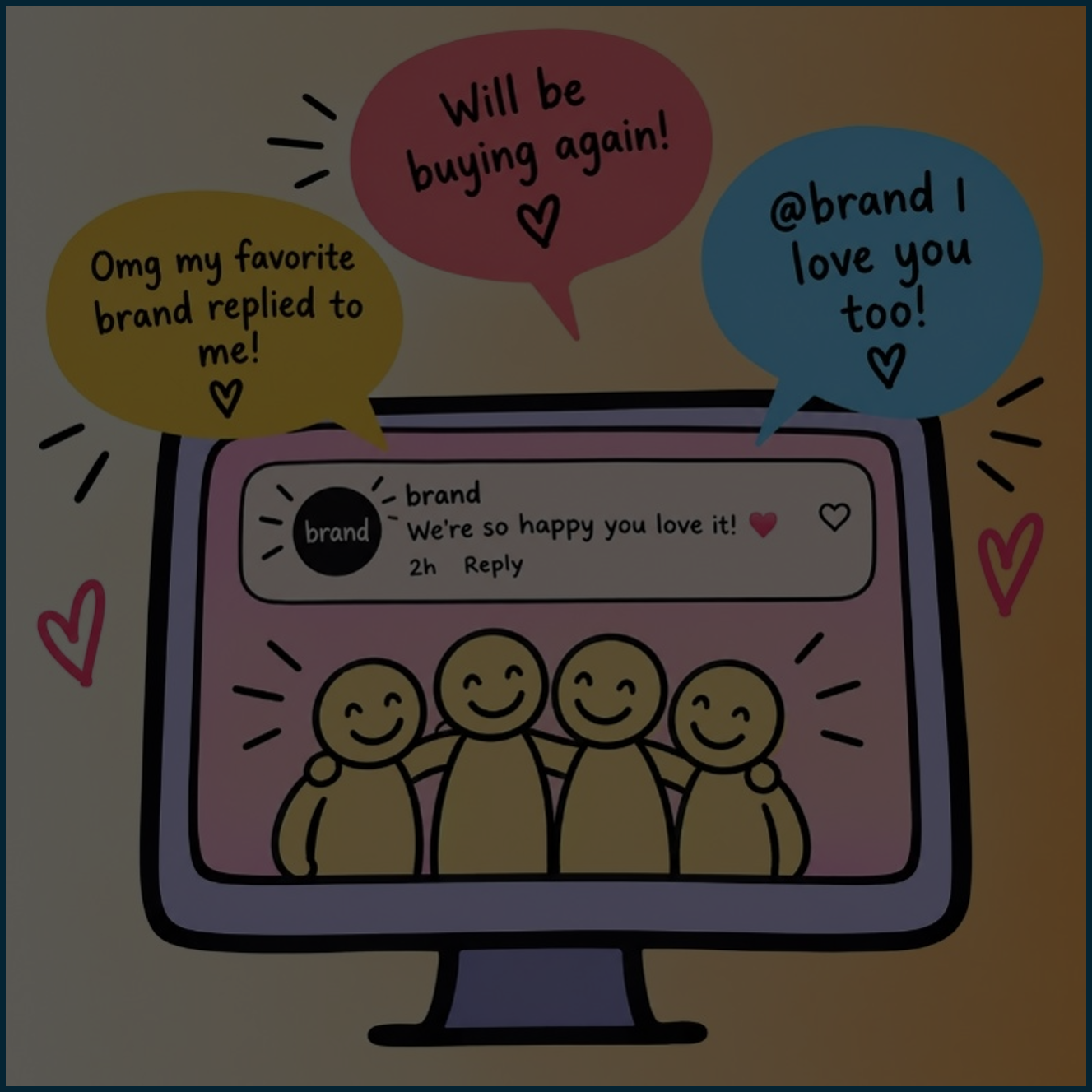
23 Sep Community Management 101: Tools & Techniques for Effective Engagement
Do you ever find yourself falling down the rabbit hole in a brand’s comments section?
You know the story: a post blows up on social media, the replies roll in, and now you’re invested. What are people saying? How is the brand responding? Is someone about to start a fire or did the brand just deliver the perfect comeback?
That comment section might look like chaos from the outside, but for community managers, it’s where the real work (and sometimes the most fun) happens.
What is Community Management?
Social media has become more than a place to share photos and videos. It’s now a space where people share feedback, complaints, love, hate, and general thoughts about the brands they interact with. These comments provide the perfect opportunity for a brand to further shape their online presence, and that’s where community management enters the chat.
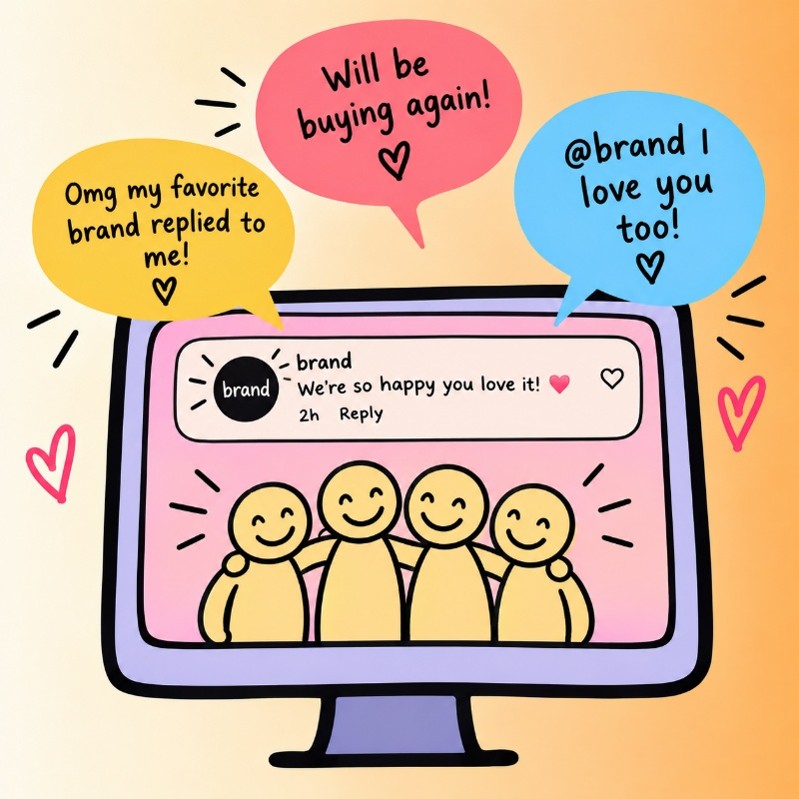
Community management is the relationship-building side of social media. It’s about turning simple comments into genuine connections through the art of conversation. When you see a brand responding to someone in the comments, jumping in on banter, or creating content that encourages people to share their excitement, that’s community management!
Strong community management can turn these conversations into an engaged and loyal audience. It also gives brands a better understanding of what their audience cares about, which can help shape future content (cutting down that brainstorming time)!
So, Commenting Back … Is That It?
While we’ll touch on the more fun aspects of community management, it isn’t as simple as responding to comments and fostering connections. Community managers are:
- Monitoring conversations on a brand’s page and across the industry
- Researching how to answer complex questions
- Connecting people with customer service, sometimes taking on that role themselves
- Tracking brand sentiment
- Following trends
- Bringing content ideas to the brainstorm based on community discussions
- Containing misinformation and redirecting conversation
- Tweaking a brand’s response guide based on new information
- Creating a list of potential responses to have in their back pocket
- The list goes on
Community managers basically eat, sleep, and breathe the brand. They know the ins and outs, understand the audience, and are often the first to notice when something feels off. All that work plays a big part in effective engagement.
The Tools That Can Help:
Community management can become overwhelming when you’re monitoring multiple platforms, accounts, and thousands of comments. Social management tools help organize conversations, respond efficiently, and keep track of what needs attention.
Emplifi + Hootsuite
Emplifi and Hootsuite both give community managers a centralized place to monitor and engage with conversations across social platforms. Features like centralized inboxes, monitoring streams, tracking brand sentiment, and social listening make it easier to keep up with incoming comments and mentions without jumping between platforms.
Why they’re helpful: Both platforms help teams manage multiple accounts and platforms in one place, making it easier to stay organized, respond to conversations, and keep an eye on what’s happening across social.
Sprinklr
Sprinklr is built for larger organizations managing social engagement and customer conversations at scale. Similar to Emplifi and Hootsuite, its social tools bring together listening, engagement, publishing, and reporting, while AI and automation can help teams sort conversations and route them to the right people.
Why it’s helpful: When a brand has a lot of incoming conversations, Sprinklr can help teams prioritize what needs a response and route issues to the right team.
ManyChat
ManyChat takes a different approach. Rather than helping you manage incoming conversations, it can automate parts of the conversation. For example, a brand can set up an Instagram automation that responds when someone comments a specific word on a post and then sends them a DM with additional information, a link, or an offer.
Why it’s helpful: It can save community managers time on repetitive interactions while still creating opportunities to move someone from a comment into a more personalized action. The key is using automation to support community management, not replace the human interaction that makes a brand feel personable.

We Manage Communities for the World’s Top Brands
The original social media agency. Social First. Social Only.
The Basic Tips for Effective Engagement
1. Brand Voice
Every brand has a voice. It comes through in their products, the content they post, and how they advertise. That voice needs to translate into your responses, too. But don’t be like everyone else! Sometimes it can be necessary to jump on the bandwagon with a popular phrase, but every brand shouldn’t have the sense of humor of Wendy’s. Originality matters.
If your brand is more formal and polished with an older target audience, responding to comments in slang or via memes might miss the mark and look jarring when someone decides to stalk your Instagram page. Of course, taking a fun risk here and there can work for any brand (with the right strategy!). Your responses should feel like they’re coming from the same brand your audience sees everywhere else.
2. Personalize It
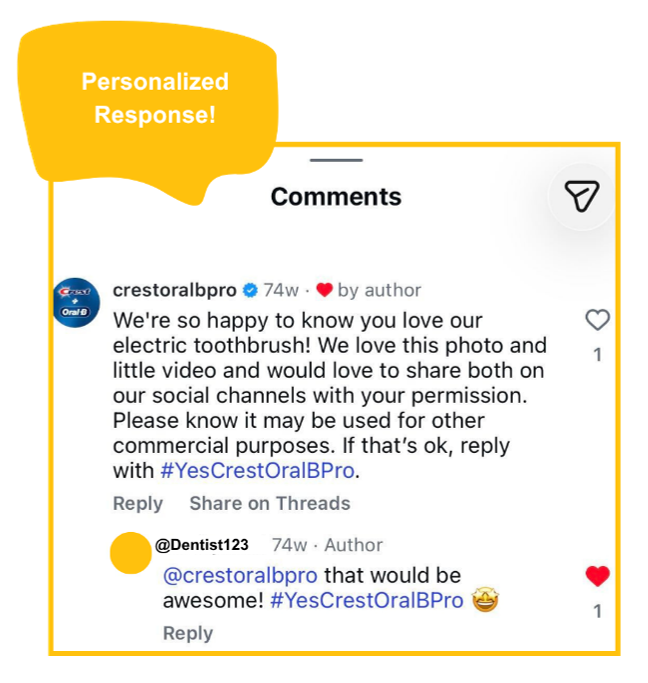
While your responses should match your brand voice, they shouldn’t feel copy-and-pasted for every comment. That can come across as robotic, inauthentic, and boring.
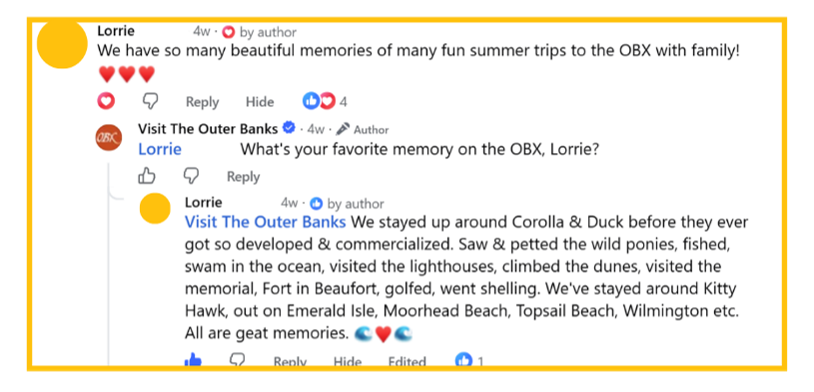
Instead, find little ways to personalize your responses. Use their first name, throw in a fun emoji when it makes sense, and recognize frequent commenters who keep showing up for your brand. A touch of personality can go a long way in making your brand more memorable.
3. Timing Is Everything
If you’re responding to a comment, you don’t want it sitting there for a week before you acknowledge it.
Responding in a timely manner shows that your brand is paying attention and values those real-time connections. If you need more time to work out a response to something more complicated, that’s okay too. Just keep them updated! This is especially important when there are negative comments or issues commenters are facing. The longer you wait, the more disconnected the interaction can feel.
4. Read the Room
People will often bring product issues or complaints straight to social media. When that happens, switch into customer service mode while keeping your brand voice in mind.
Know when a situation calls for a helpful, straightforward response versus when you can be a little more playful or light. And if a comment is more serious or requires personal information, know when it’s better to take the conversation offline and escalate it to the right team.
5. Branch Out
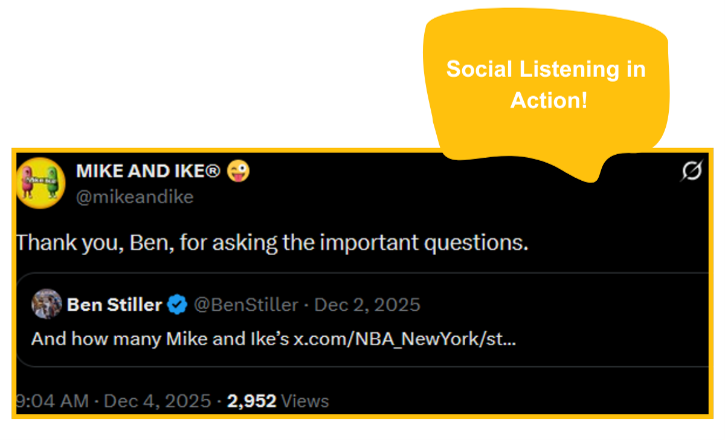
Don’t only engage with comments on your own posts. Think outside the box and explore where else people are having these conversations. With tools like Emplifi and Hootsuite offering social listening, you can find opportunities to join a much bigger conversation and put your brand out there.
But before jumping in, always ask yourself: “How would people feel if they saw our brand in this comment section?” and “Does this make sense, or is it too big of a stretch?” Read the room and don’t overdo it. Sometimes the best community management is knowing when to join in and when to simply listen.
Now, creating meaningful engagement goes beyond these tips. Having general guidelines in place that are tailored to your brand is just the tip of the iceberg. Meaningful conversations can happen in so many ways, and they don’t always have to start with a comment. Building an engagement strategy is about understanding where and how your audience naturally wants to connect with your brand and creating opportunities to make those interactions feel genuine!
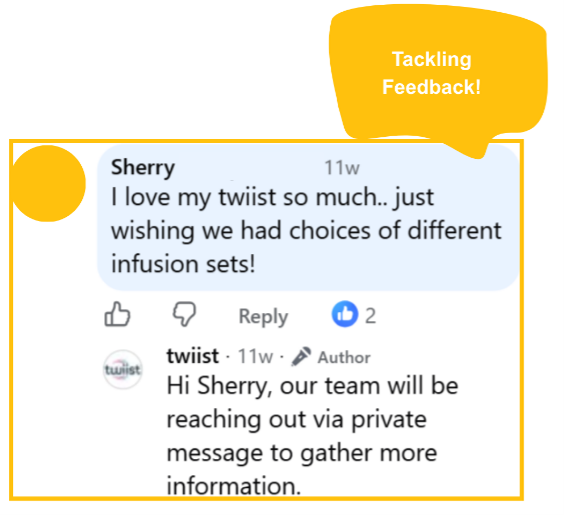
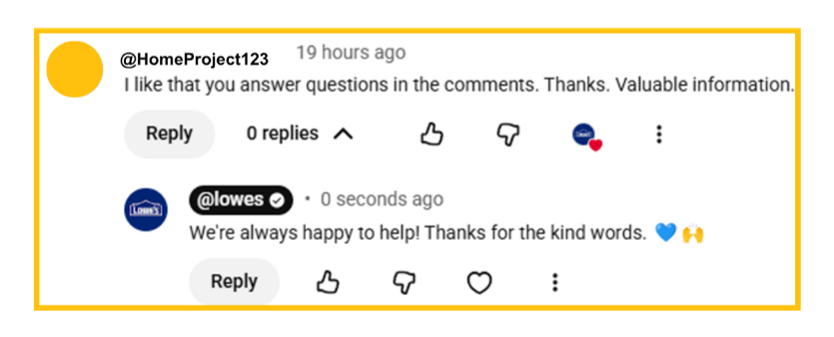
Now, Let’s Take a Look at Some Fun Engagement:
Ready to Take Your Community Management to the Next Level?
Now that you know a little bit more about community engagement, you may be thinking, “Okay, this is a lot more than I bargained for.” And honestly? We get it. That’s why at Ignite Social Media, we have community managers on board to handle the heavy lifting. Whether you’re starting from scratch, looking to bring your brand voice to life, or simply don’t have the time, our team is equipped for it all. We’ll keep the conversation moving, so you can sit back and relax.
Frequently Asked Questions
What is social media community management?
Community management is the relationship-building side of social media. It turns simple comments into genuine connections through conversation, such as a brand responding in the comments, joining in on banter, or creating content that encourages people to share their excitement. Done well, it builds an engaged, loyal audience and helps brands understand what their audience cares about.
What does a social media community manager do?
Beyond responding to comments, community managers monitor conversations on a brand’s page and across the industry, research answers to complex questions, connect people with customer service, track brand sentiment, follow trends, bring content ideas from community discussions, contain misinformation, update the brand’s response guide, and keep a list of potential responses ready.
What tools help with social media community management?
Emplifi and Hootsuite give community managers a centralized place to monitor and engage across platforms, with inboxes, monitoring streams, sentiment tracking, and social listening. Sprinklr is built for larger organizations managing conversations at scale, using AI and automation to sort and route conversations. ManyChat automates parts of the conversation, such as sending a DM when someone comments a specific word on an Instagram post.
How quickly should a brand respond to social media comments?
Respond in a timely manner so comments are not left sitting for days. Quick responses show the brand is paying attention and values real-time connections. If a complicated issue needs more time, keep the commenter updated, especially with negative comments or problems customers are facing.
When should a brand take a social media conversation offline?
When a comment is serious or requires personal information, it is better to take the conversation offline and escalate it to the right team. For product issues or complaints, community managers should switch into customer service mode while keeping the brand voice in mind.
Should brands automate responses to social media comments?
Automation tools like ManyChat can save community managers time on repetitive interactions and move people from a comment into a more personalized action. The key is using automation to support community management, not replace the human interaction that makes a brand feel personable.
Citations:
Community. Emplifi Documentation Center. https://docs.emplifi.io/platform/latest/home/community
Social Media Marketing & Management Dashboard. (2026). Hootsuite.Com. https://www.hootsuite.com/
Social Media Customer Service Software | Sprinklr. (2026). Sprinklr.Com. https://www.sprinklr.com/products/customer-service/social-media-channels/
Chat Marketing Made Easy with ManyChat. (2026.) Manychat.Com. https://manychat.com